Claude Design 2: everything that changed, and 3 fun things to try
 Sharbel Safyi, CEO·Jun 29, 2026
Ever since AI went mainstream, the part that has moved fastest is not the frontier research in the headlines, it is the everyday tools, the ones you actually open and use. It has been one release after another, and honestly keeping up is half the fun. Claude Design is one of my favorites to follow, use, and learn from, and it just got its biggest update yet, the closest thing so far to a Claude Design 2. Here is everything that changed, and the three things I have had the most fun doing with it.
First, what Claude Design actually is
If you have not played with it yet, here is the one-line version: Claude Design lets you make real visual work, things like prototypes, slides, one-pagers, and mockups, just by talking to Claude instead of pushing pixels around yourself. Anthropic launched it in April 2026 as a Labs product, powered by Claude Opus 4.7, its most capable vision model. You describe what you want, it builds something you can actually click through, and you refine from there. It caught on fast: Anthropic says over a million people used it in the first week.
What just changed (the short version)
Anthropic did not actually stamp a "2" on it. On June 17 it shipped what it calls a major update, aimed at making Claude Design good enough for daily, on-brand work rather than one-off experiments. But the jump is big enough that I think of it as a new version, so that is what I am calling it here.
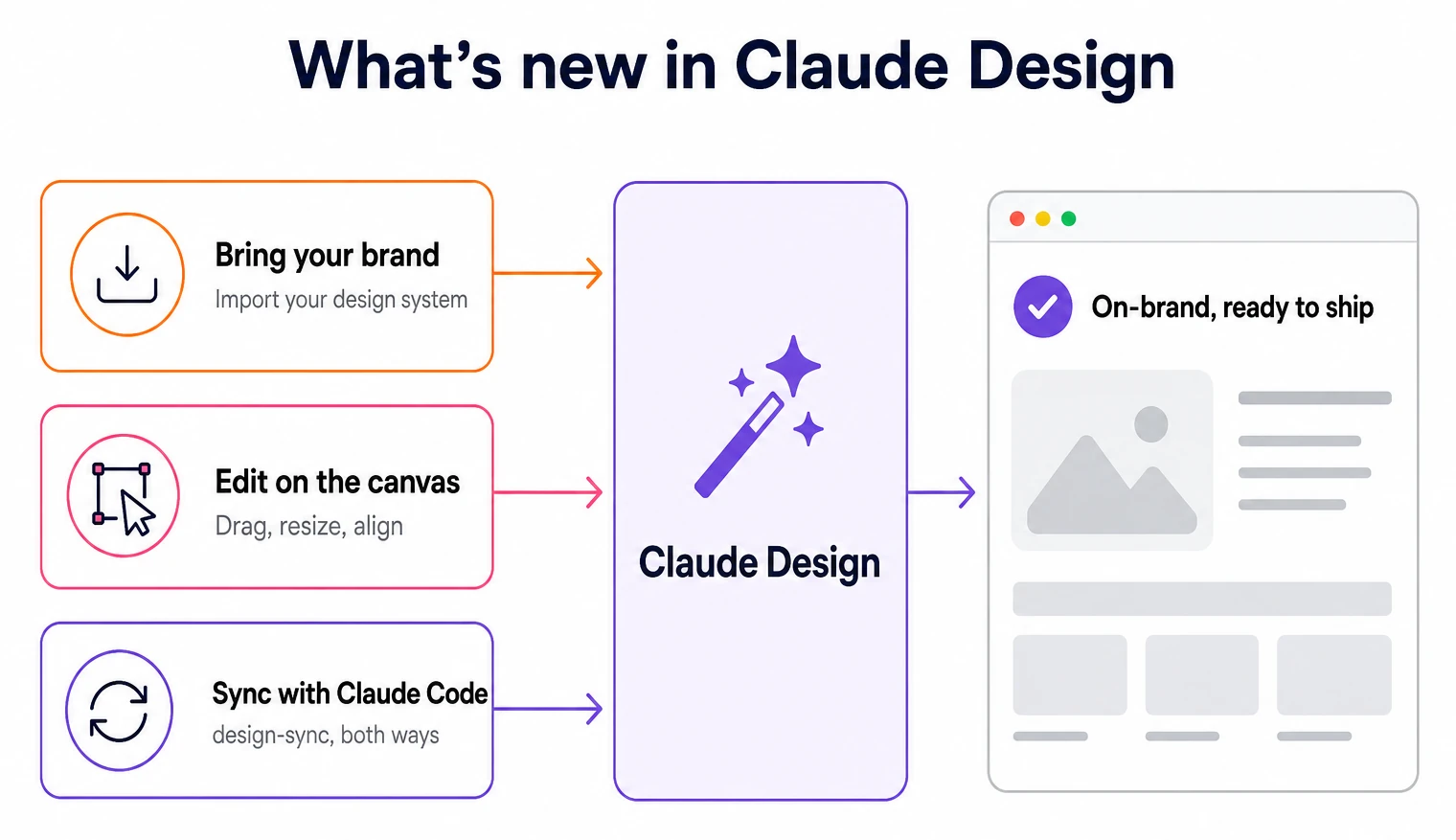
The short list of what is new: you can now import your own design system so everything comes out on brand, you can edit directly on the canvas by dragging and resizing instead of re-prompting, and it syncs both ways with Claude Code so a design can become real code without a rebuild. There is also a pile of new export destinations, from PDF and PowerPoint to Canva, Adobe, Miro, Vercel, and Wix. And under the hood it got leaner: it now shares one usage budget with chat and Claude Code, the average turn uses fewer tokens, and error rates dropped sharply. Below are the three I keep coming back to.
One: drop in your brand and watch it stay on brand
This is the headline feature, and the one I like most. You can now import your actual design system from a GitHub repo, a design file, or a raw upload, and Claude builds with your real components, colors, type, and spacing, then checks its own output against the system and corrects before it ever shows you. The thing that always broke the spell with AI design was the drift into a generic, off-brand look. Now the first draft already looks like you. That is the same thing we obsess over on the writing side: never shipping the same flat output everyone else gets.
Two: grab the design and move it yourself
The second one is small and weirdly satisfying. Claude Design now lets you drag, resize, and align elements directly on the canvas, without prompting for each one. Before, every tweak meant describing it in words and waiting for a new pass. Now it finally feels like a design tool instead of just a chat box: you talk for the big moves, then nudge things into place by hand when typing it out would be slower. That mix is the whole point, and it makes refining quick instead of fiddly.
Three: talk it into existence, then ship it with Claude Code
This is the one that genuinely changes what the tool is for. Claude Design and Claude Code now sync both ways: run a quick design-sync to pull your design system into your repo and build against your real components, or push what you built on the canvas back into code and keep going. Any notes you leave on a canvas element travel with the handoff, so a flag like "make this the primary button" reaches the developer side intact. The gap between a clickable prototype and running code basically closes. This is the same do-it-yourself design stack I wrote about with Claude Code, now with far less wiring in between.
Why a marketing company cares about a design tool
We make Marvin, a marketing tool, not a design app, so why do I care this much about Claude Design? Because the update runs on the same bet we made: the model is the raw material, and your brand on top is the real product. Every headline here, importing your design system, staying on brand, not drifting into generic output, is the design version of a lesson we keep relearning with words. Raw AI hands everyone the same beige result, and the work that matters is everything you do after to make it unmistakably yours.
So if you make things, go play with the update, it is genuinely fun and it is included on the paid Claude plans. And if what you actually need is that same on-brand discipline applied to your marketing, the posts and carousels and campaigns you have to ship every week, that is what Marvin is for.
Frequently asked
- Is there a "Claude Design 2"?
- Not officially. Anthropic did not release a numbered version; on June 17, 2026 it shipped a major update to the existing Claude Design. The changes are big enough that many people, including me, talk about it as a "Claude Design 2," but the product is still just called Claude Design.
- What is new in the Claude Design update?
- Three headline changes: you can import your own design system from GitHub, a design file, or an upload so output stays on brand; you can edit directly on the canvas by dragging, resizing, and aligning elements without re-prompting; and it syncs both ways with Claude Code so designs become real code without a rebuild. It also added export destinations like PDF, PowerPoint, and Canva, and became faster and more token-efficient.
- What does design-sync do?
- It connects Claude Design and Claude Code in both directions. You can pull your design system into your codebase and build against your real components, or push a design you made on the canvas back into code and keep editing. Notes you add to elements on the canvas travel with the handoff, so implementation details are not lost.
- Do I need a paid plan to use Claude Design?
- Yes. Claude Design is included on the Pro, Max, Team, and Enterprise plans at no extra cost. On Enterprise it is off by default, so an administrator has to enable it in the organization settings first.